
Early access · 7 days free
See and steer every
automated device.
GAP Companion is a phone app and web dashboard for GAP. Check what each device is doing, review results, get alerts the moment something needs you, and change a run without walking to the device.
- No card needed
- Android app and web dashboard
- iOS in development
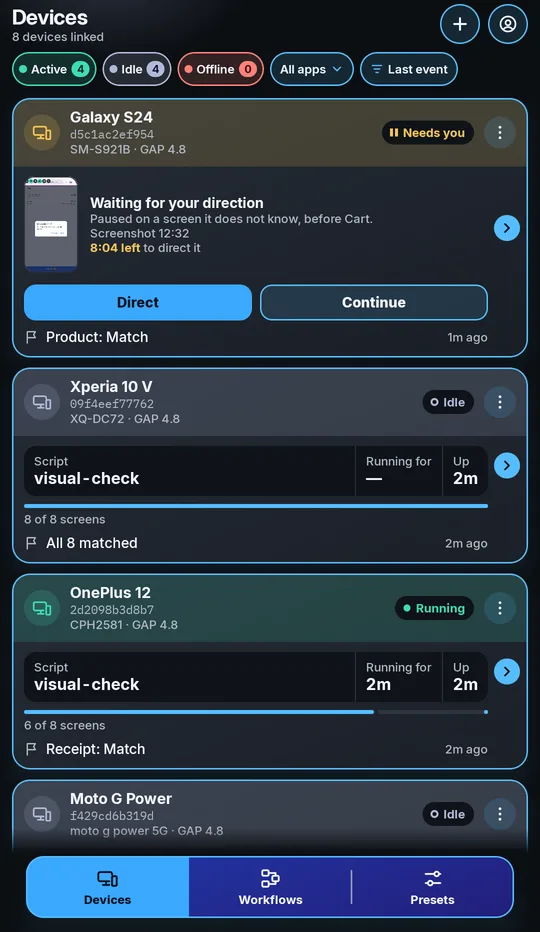
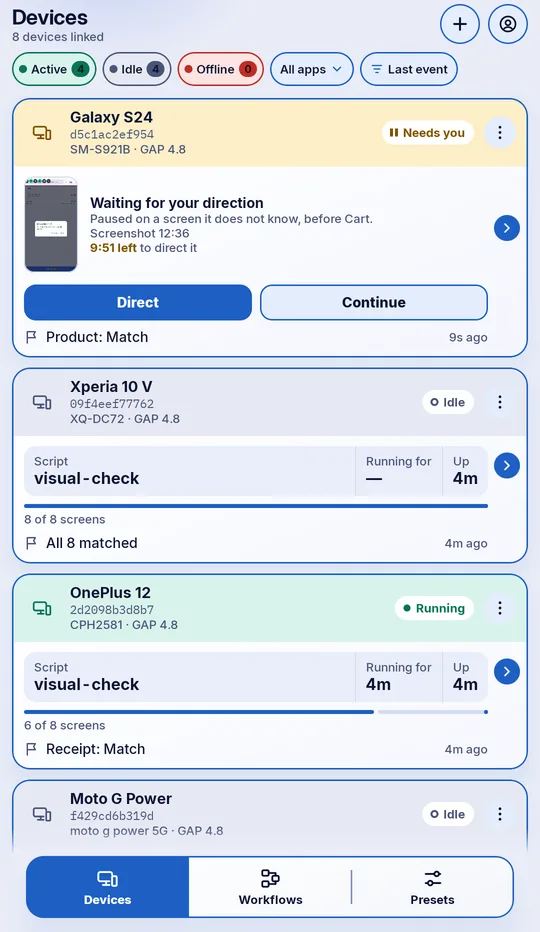
What it does
Your whole lab, from a couch
GAP runs your JavaScript automation on each phone, tablet or emulator. GAP Companion is the paid layer on top: a secure cloud service plus an app and dashboard that connect to every GAP device you own.
Live device status
Which devices are online, what each script is doing right now, and how long it has been running.
Results and history
Totals, per-run results and a recent-events timeline for each device, so you can see what changed and when.
Alerts that matter
Push notifications when a run finishes, fails or needs a decision. Choose which kinds you want.
Remote controls
Start, pause, resume or stop a run, or stop after the current round, on one device or many at once.
Settings and presets
Edit a script's settings from your phone, save them as presets and apply them to many devices at once.
Screenshots on request
Ask a device for what its screen shows right now. Screenshots are deleted after seven days.
How it works
Three steps, no servers of your own
Run scripts with GAP
Install GAP, the free Android automation app, on your devices: the starter tool puts it on each one. Run your scripts as usual.
Link your devices
Sign in to GAP Companion. In GAP, open Settings → GAP Companion → Link to GAP Companion and scan the code it shows. Once per device.
Watch and steer
Open the Android app or the web dashboard to see every device, review results, get alerts and send commands.
Use case
Visual regression testing on real devices
A GAP script walks through your app or website on real hardware, captures each screen and compares it with an approved baseline. GAP Companion is where you see the verdicts: which devices passed, which screens changed, and what exactly moved.
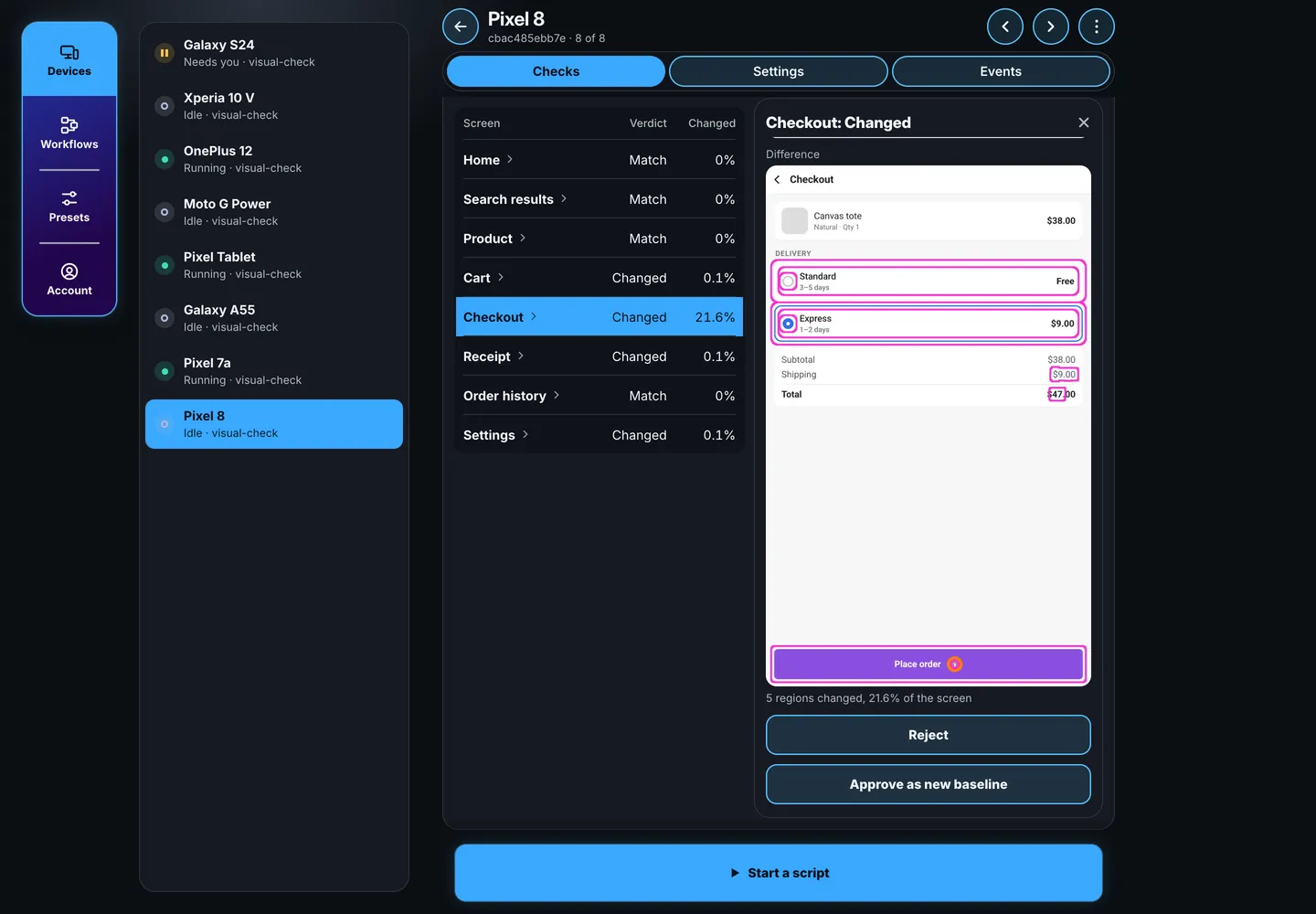
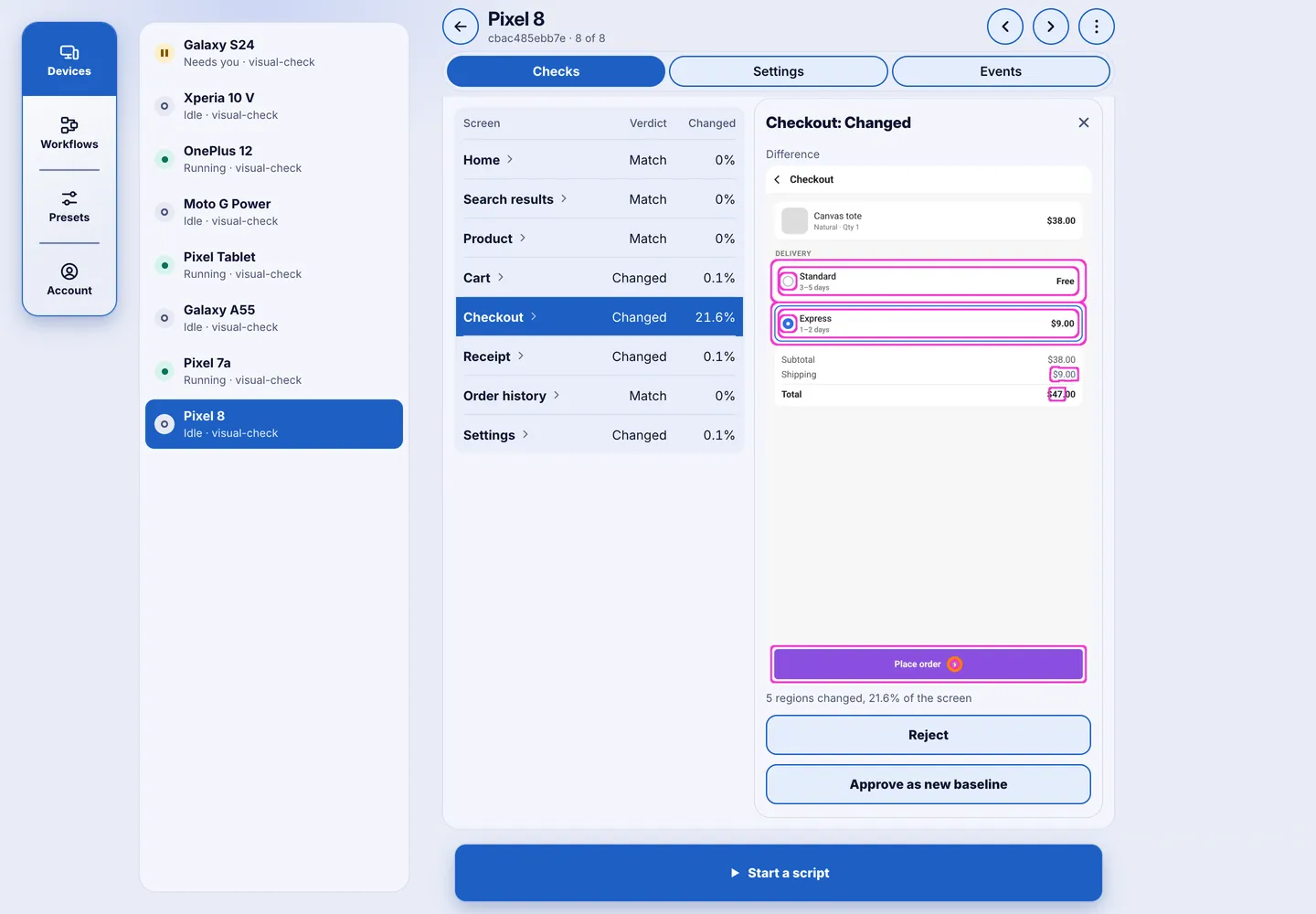
The real dashboard. The devices run the visual-check example on a sample shop; the comparison itself is done by that GAP script.
Release checks
Run the same walkthrough on every build and catch layout shifts, clipped text and colour changes before users do.
Device and OS coverage
Compare how one screen renders across screen sizes, densities and Android versions in your own device lab.
Overnight runs
Start a long suite in the evening. In the morning, a passed or flagged status is waiting on your phone.
Other repetitive tasks
Smoke tests, stress tests and routine device chores. Anything a GAP script can do, Companion can watch.
Fleet control
Start and stop a whole lab from one screen
Select a few devices or all of them, then start, pause or stop together. Devices finish their round cleanly before stopping, and anything that needs you is flagged on the spot.
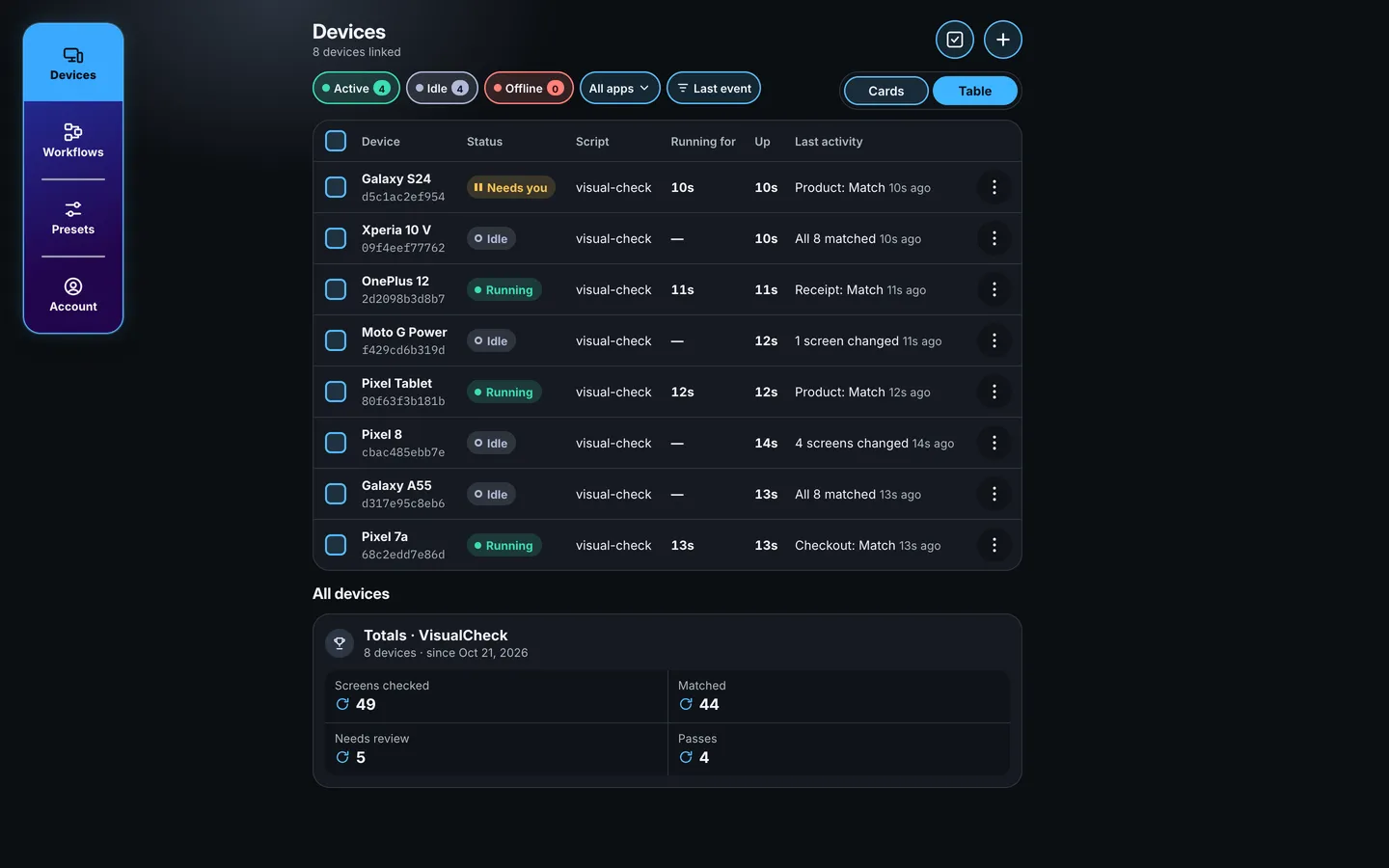
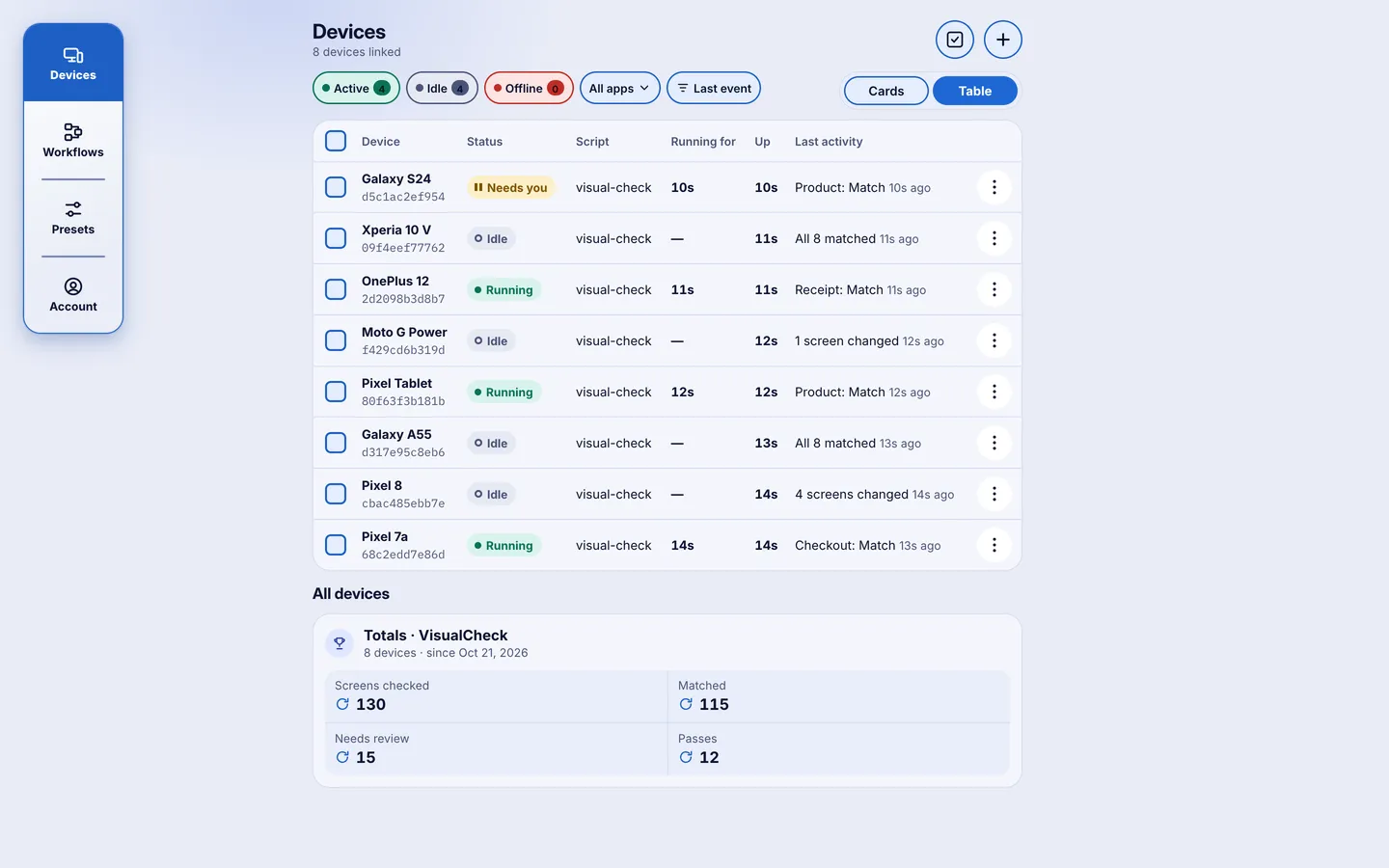
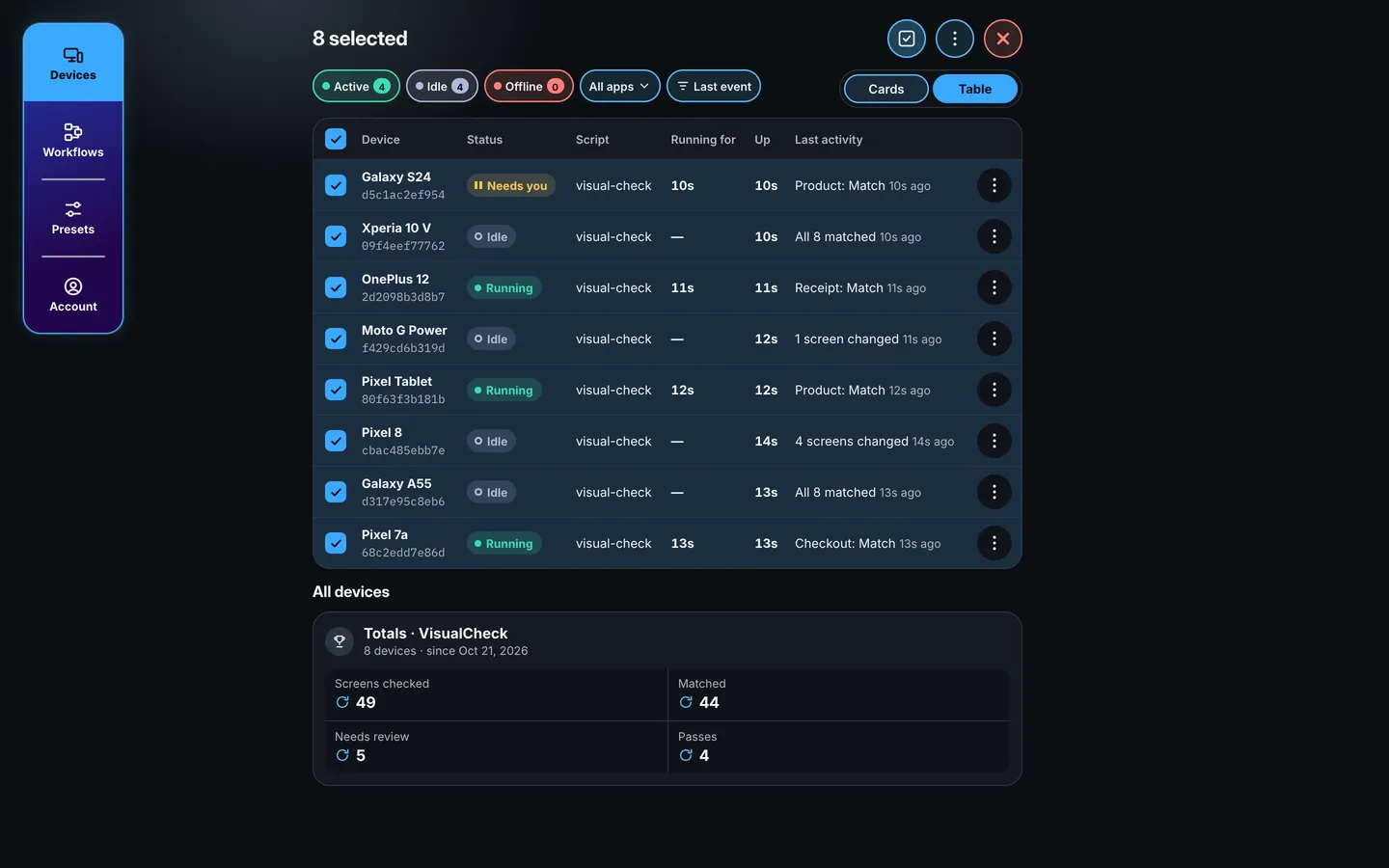
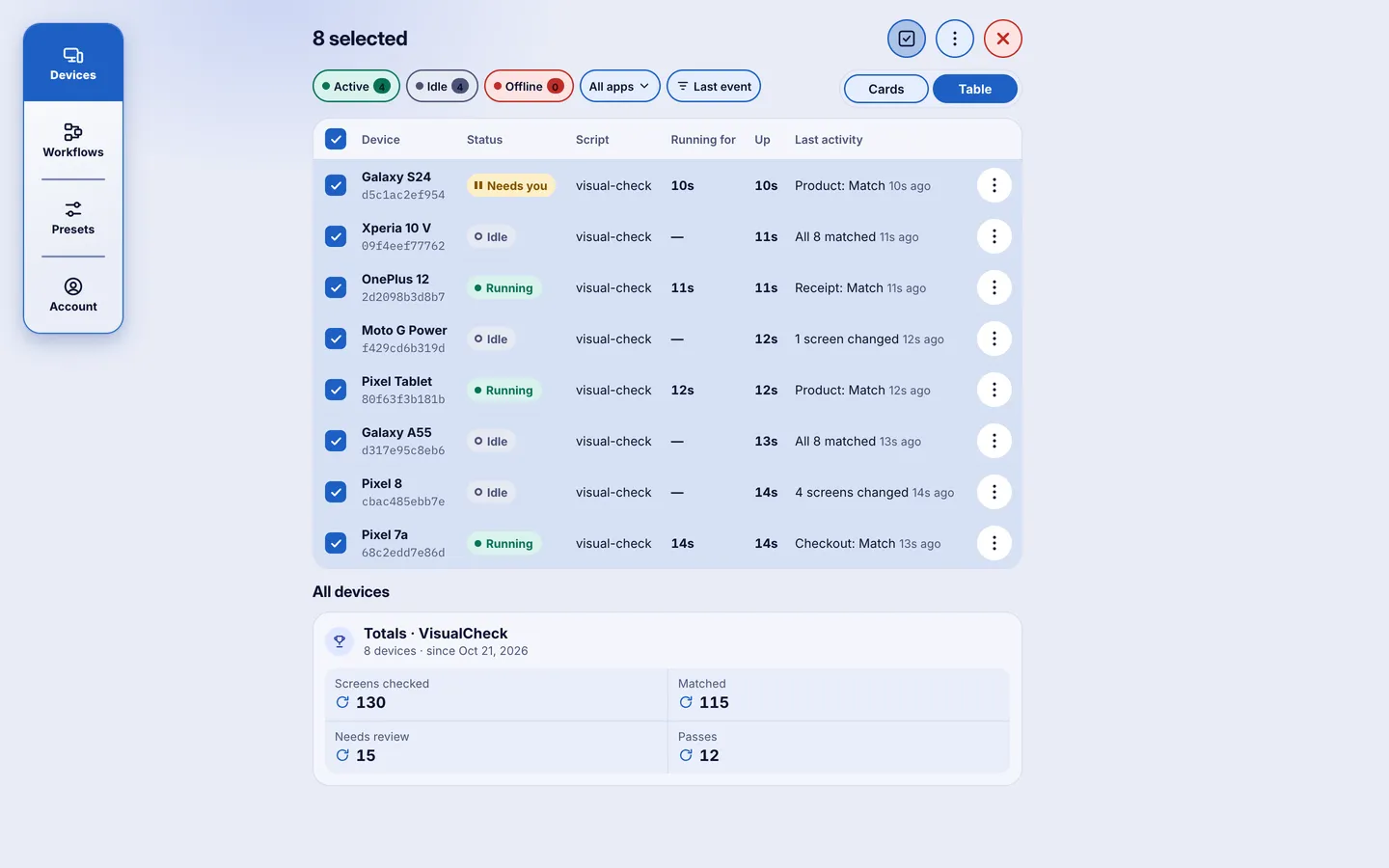
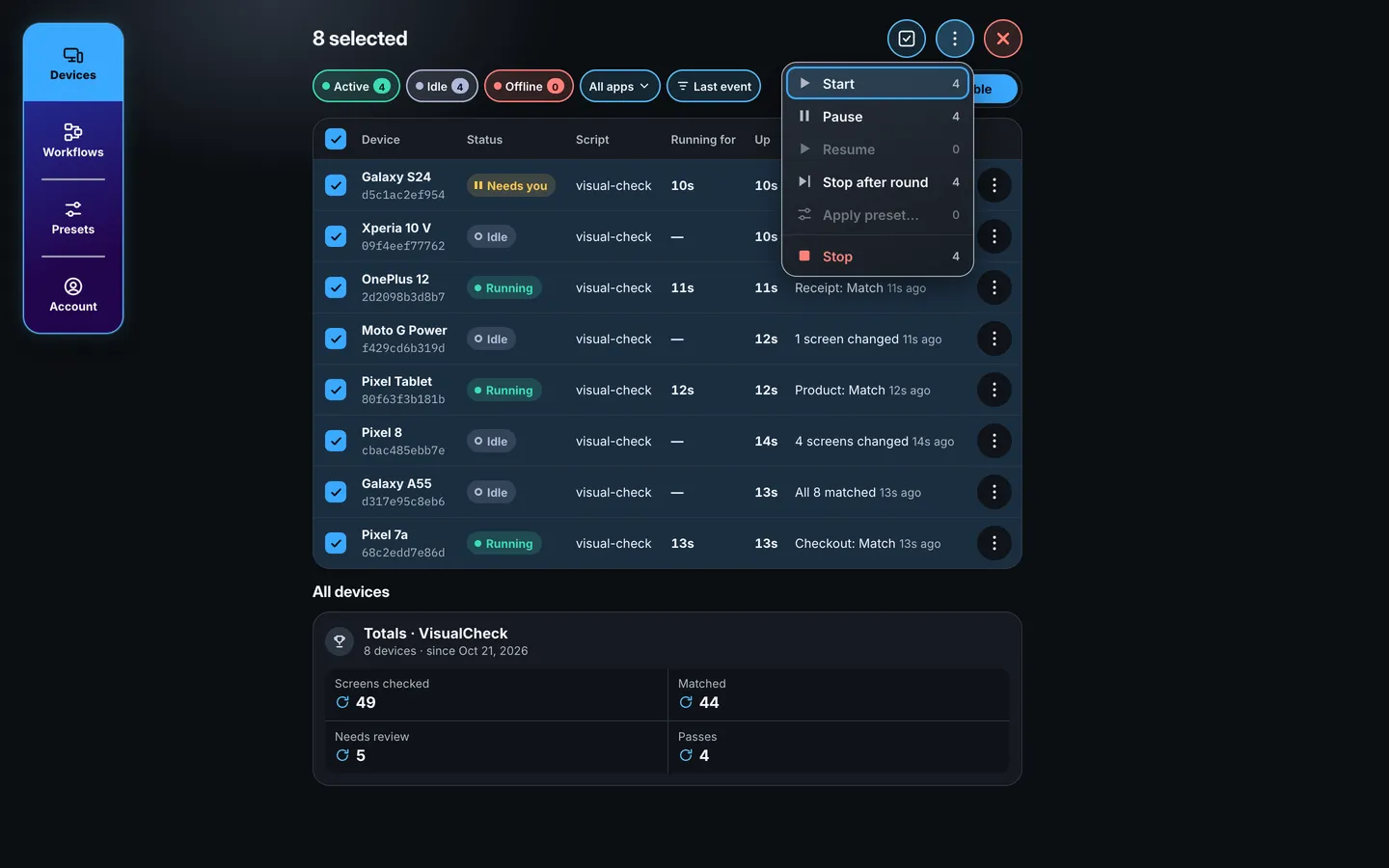
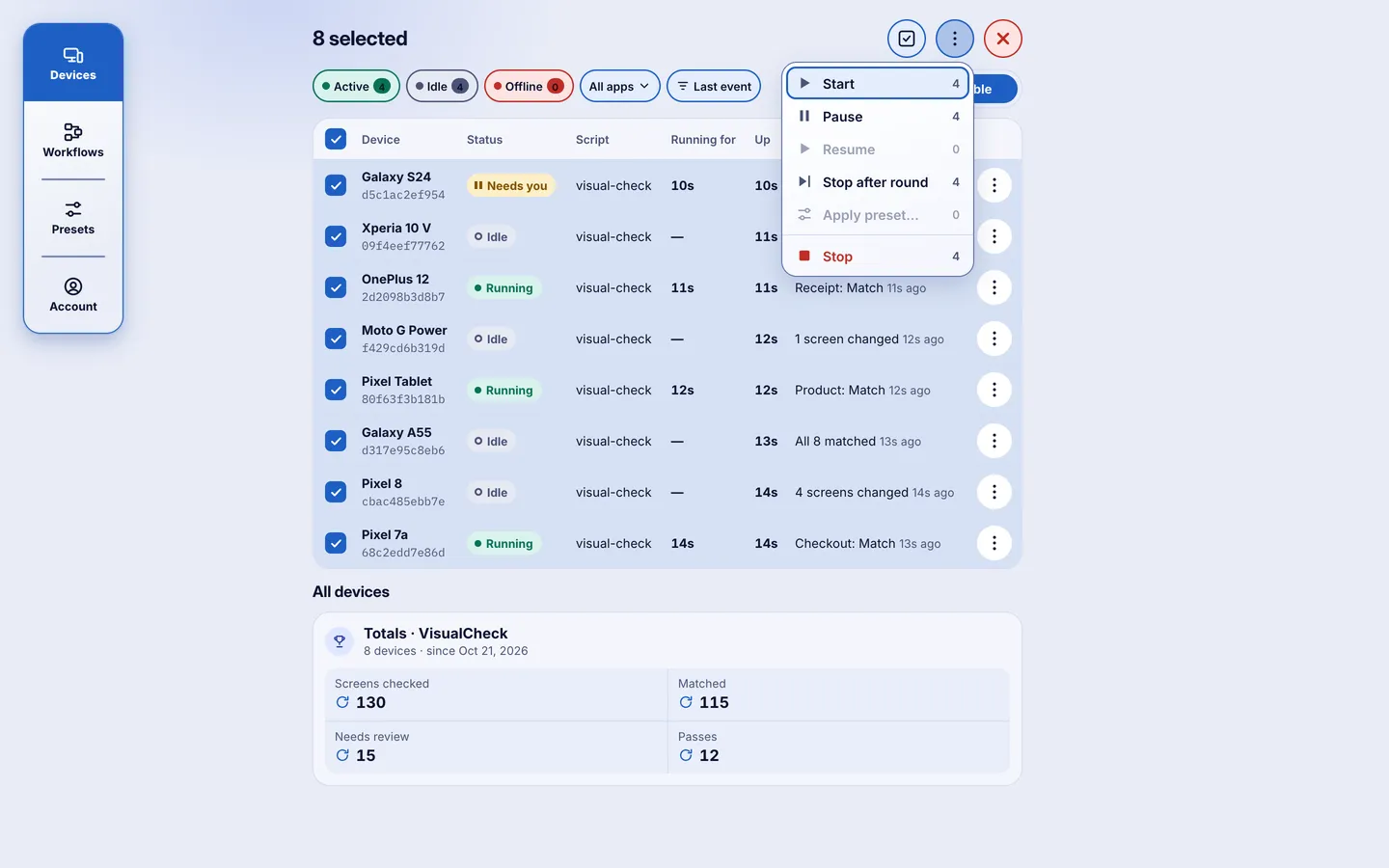
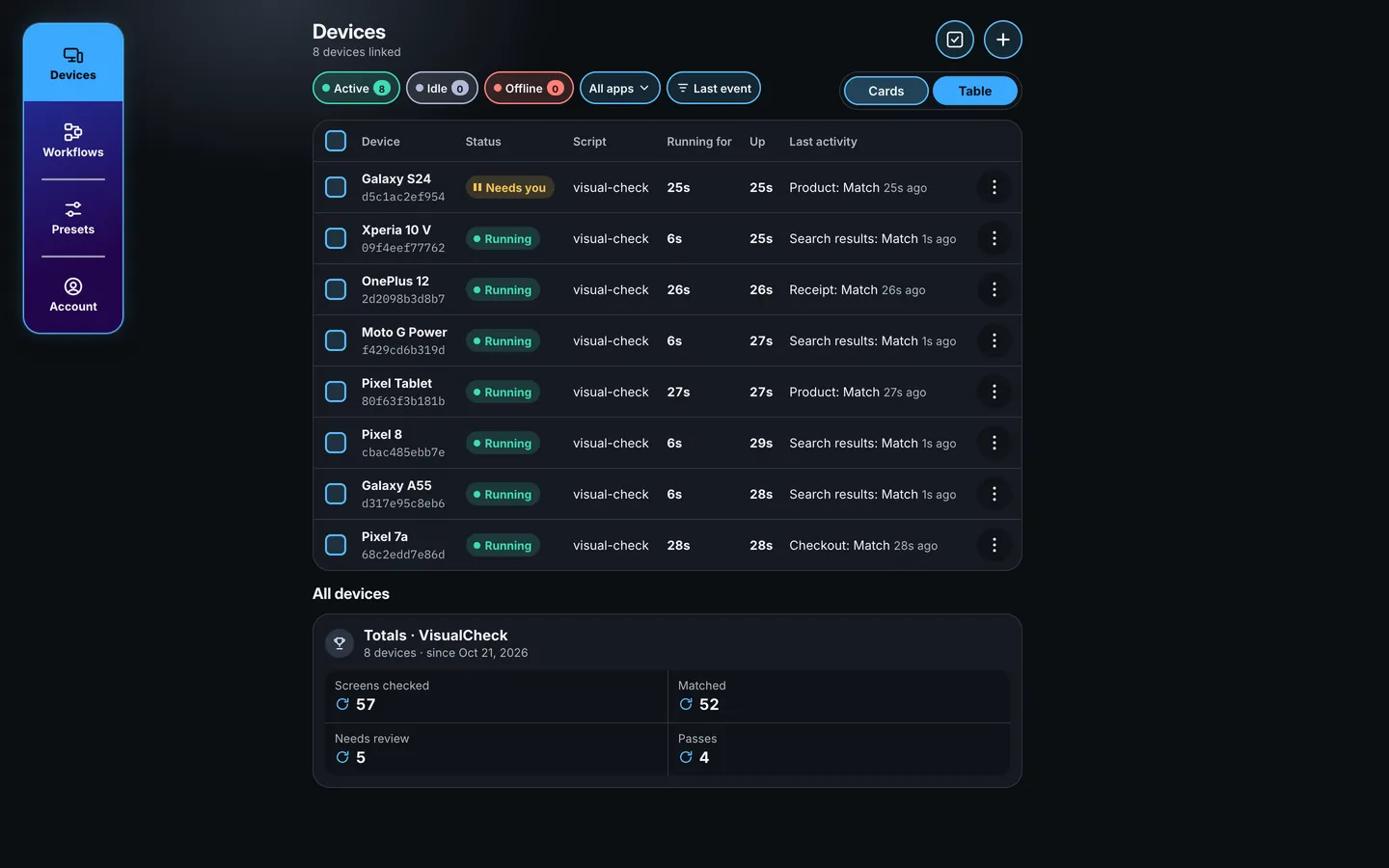
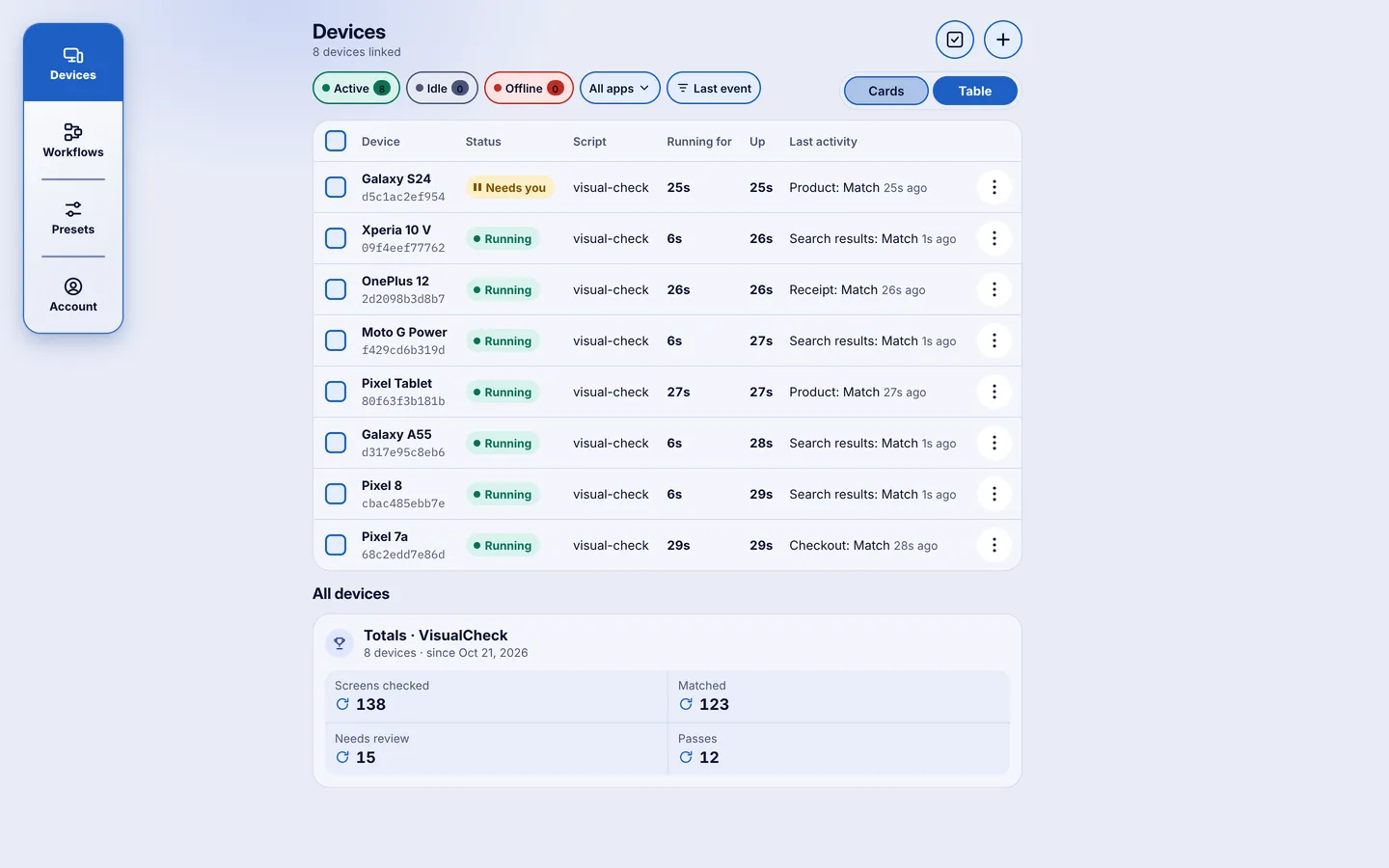
The dashboard's bulk controls, in four real frames. Hover to pause.
Interactive direction
When a script gets stuck, fix it from your phone
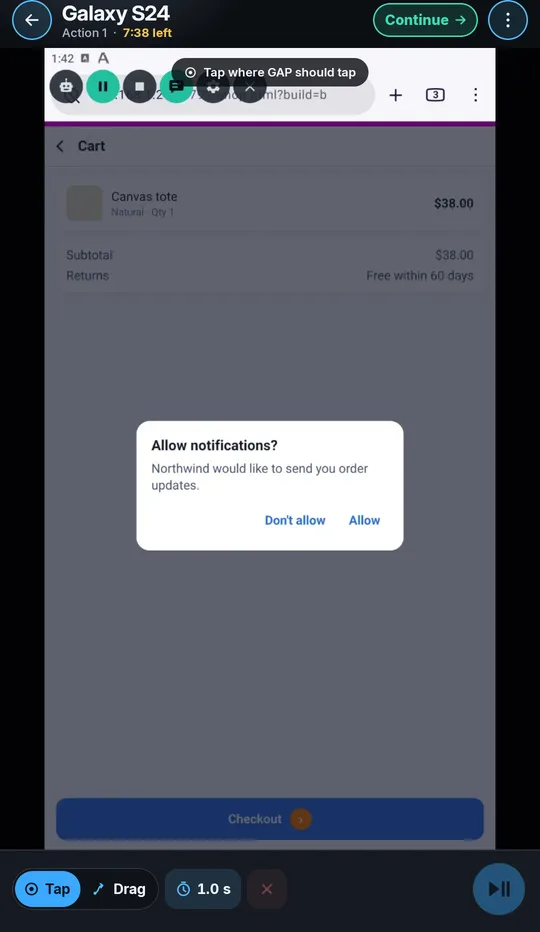
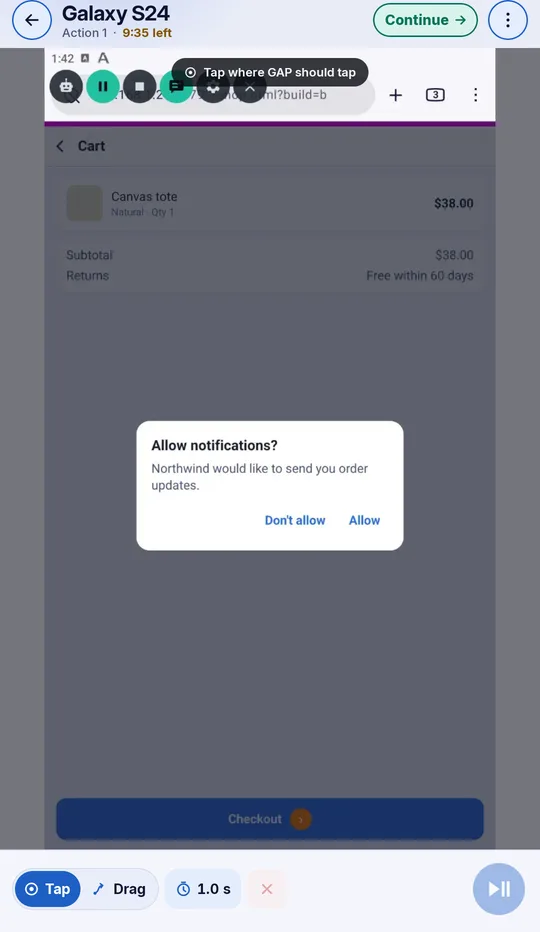
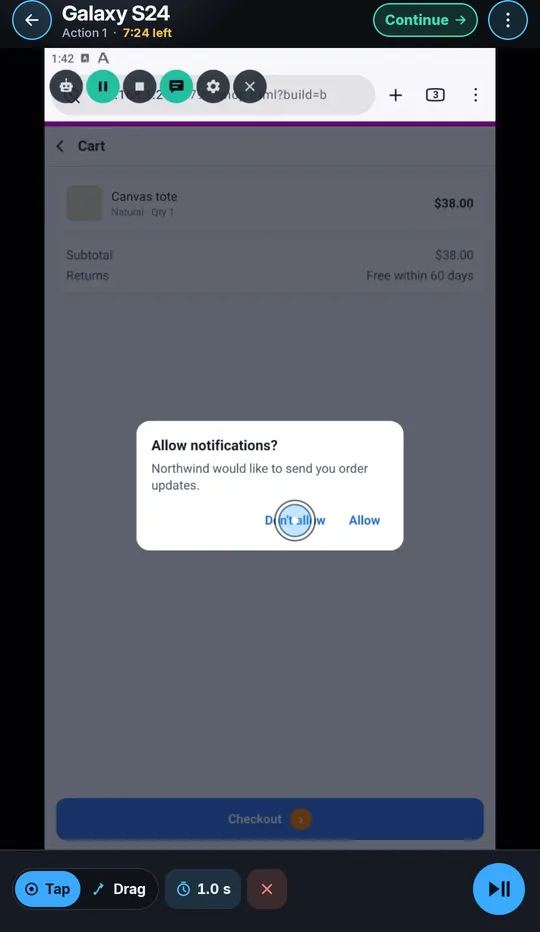
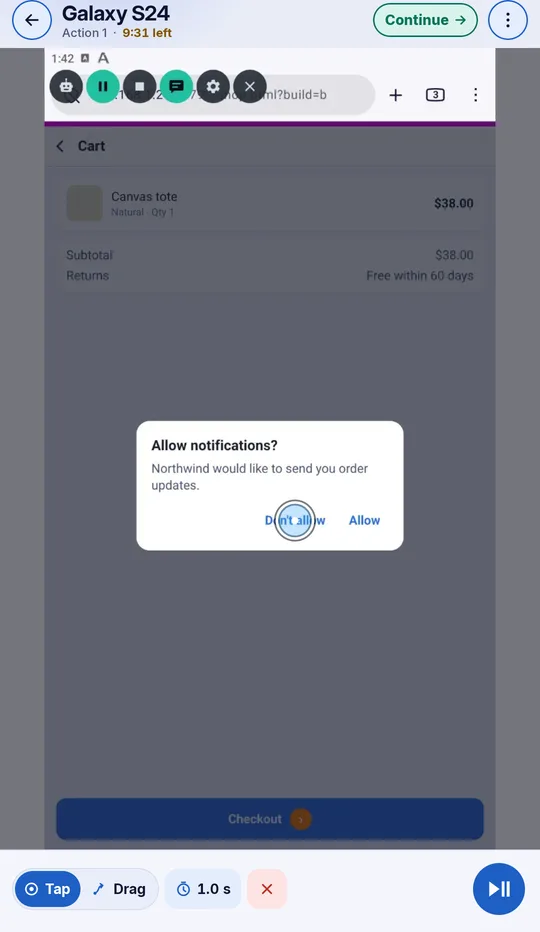
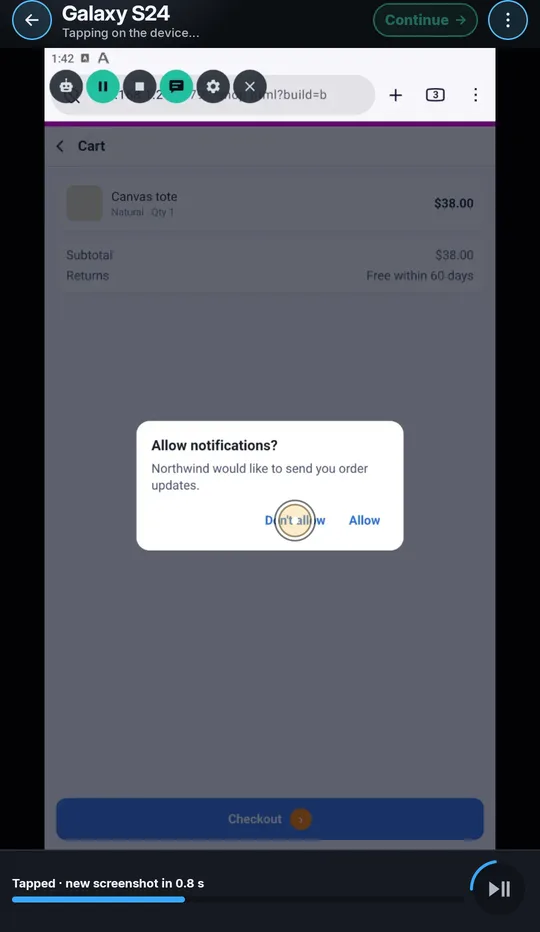
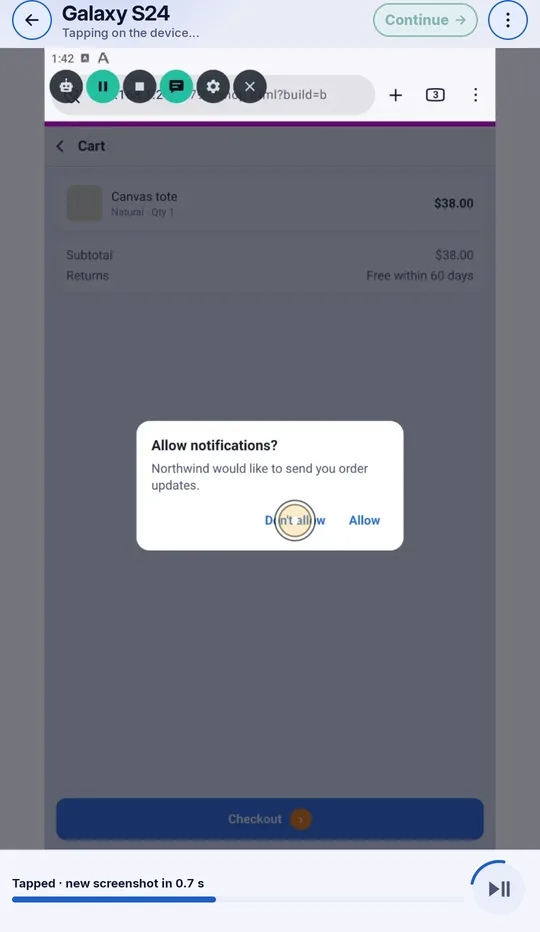
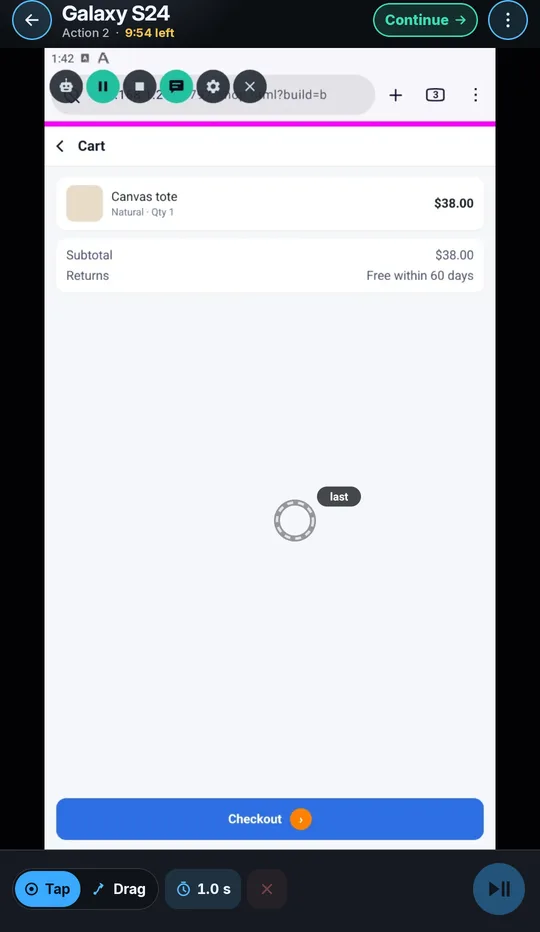
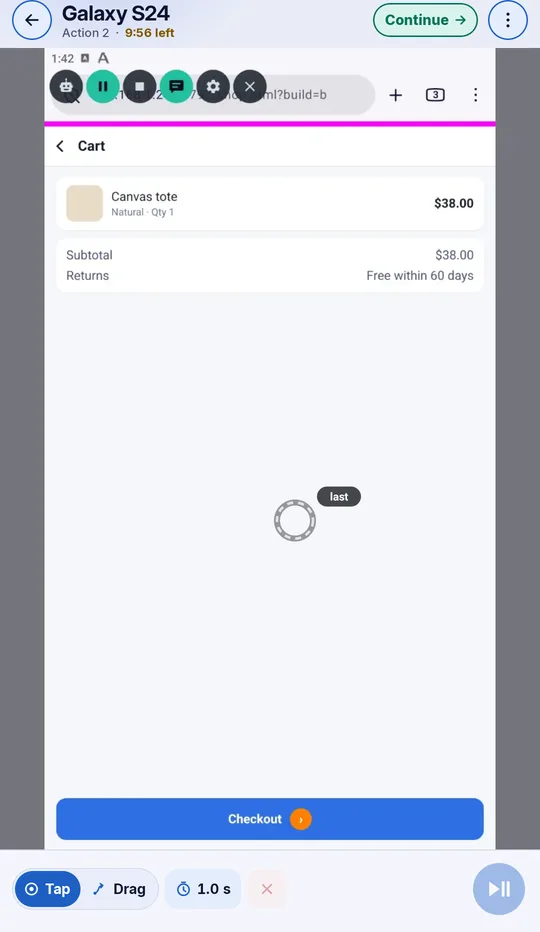
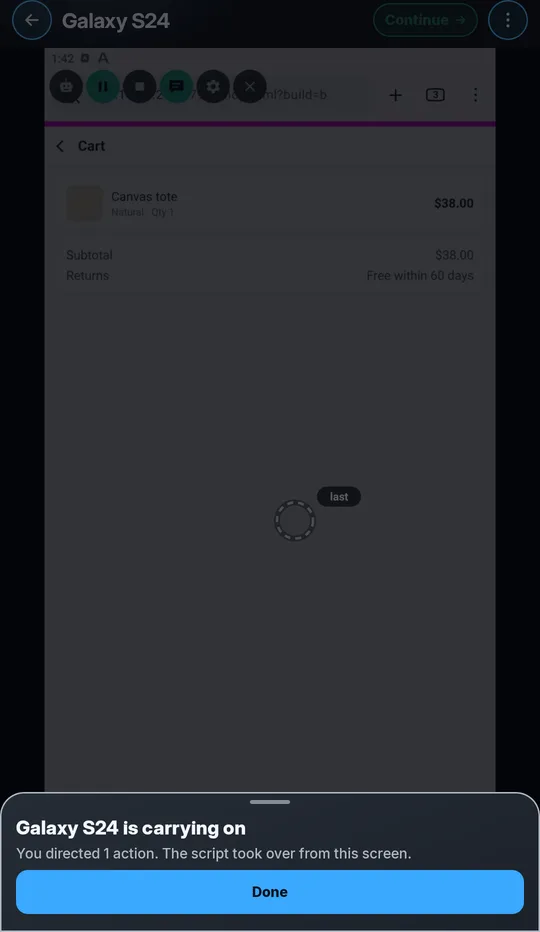
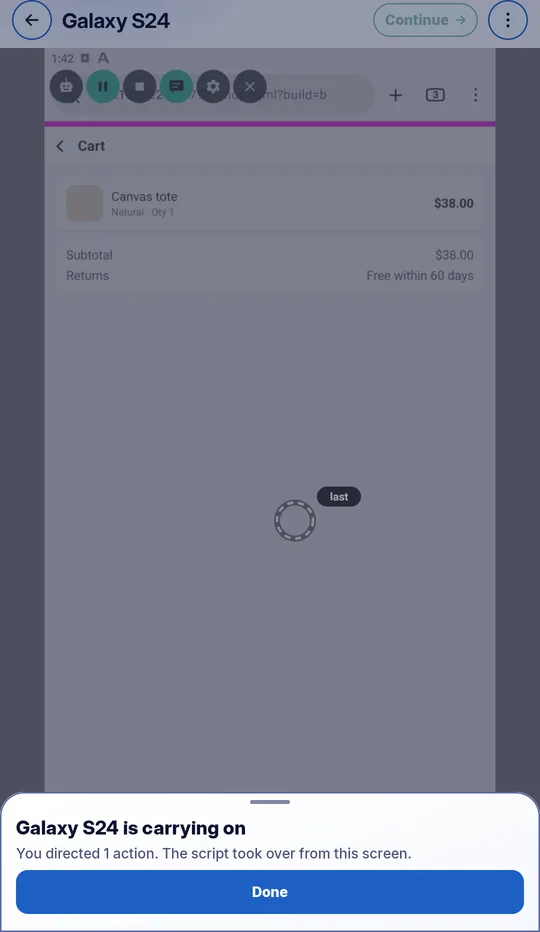
The phone app, in six real frames. Hover to pause.
A surprise permission dialog, a promo banner, a screen nobody planned for. Instead of failing the whole run, a script that supports it can pause and ask you what to do.
- The script pauses and you get an alertOnly on screens it does not recognise, so a run is not lost to one surprise.
- You see what the device seesA fresh screenshot opens in the app. Mark one tap or one drag where it should go.
- Press play, check, repeatThe device makes your tap itself and sends a new screenshot, so you can confirm it worked or try again.
- Continue hands control backThe script resumes from where it paused. If nobody answers within ten minutes, it falls back to its normal handling.
Questions
Do I need GAP too?
Yes. GAP is the free Android app that runs your scripts. GAP Companion connects to it and does not automate anything on its own. Set up GAP.
What can see my data?
Your devices report status, events and totals to your own account. We do not sell data, show ads or use analytics trackers. Read the Privacy Policy.
Which platforms are supported?
An Android app and a web dashboard that works in current browsers on desktop and phone. The iOS app is in development.
Which scripts get Companion features?
Every linked device shows its status, alerts and controls. Features inside a script, such as asking you for directions, reach signed scripts only, and signing for your own scripts is still to come.
Can I cancel any time?
Yes. Cancel in the app or the billing portal and you keep access until the period you paid for ends. See the Refund and Cancellation Policy.
How do I reach you?
Email [email protected] or visit Support.
Try GAP Companion free for 7 days
No card needed. Then $10 a month, cancel any time.